 Queue Studio for Service Bus
Service Bus queues and dead-letter queues, inside VS Code
Peek a whole queue without locking a message, search bodies and properties, and send a whole dead-letter queue back in one operation. Works with Azure Service Bus and the local Service Bus emulator.
Extension ID factodus.queue-studio-service-bus. Free features forever, every Pro
feature free for 14 days, no account needed.
Features
Cloud and emulator in one tree
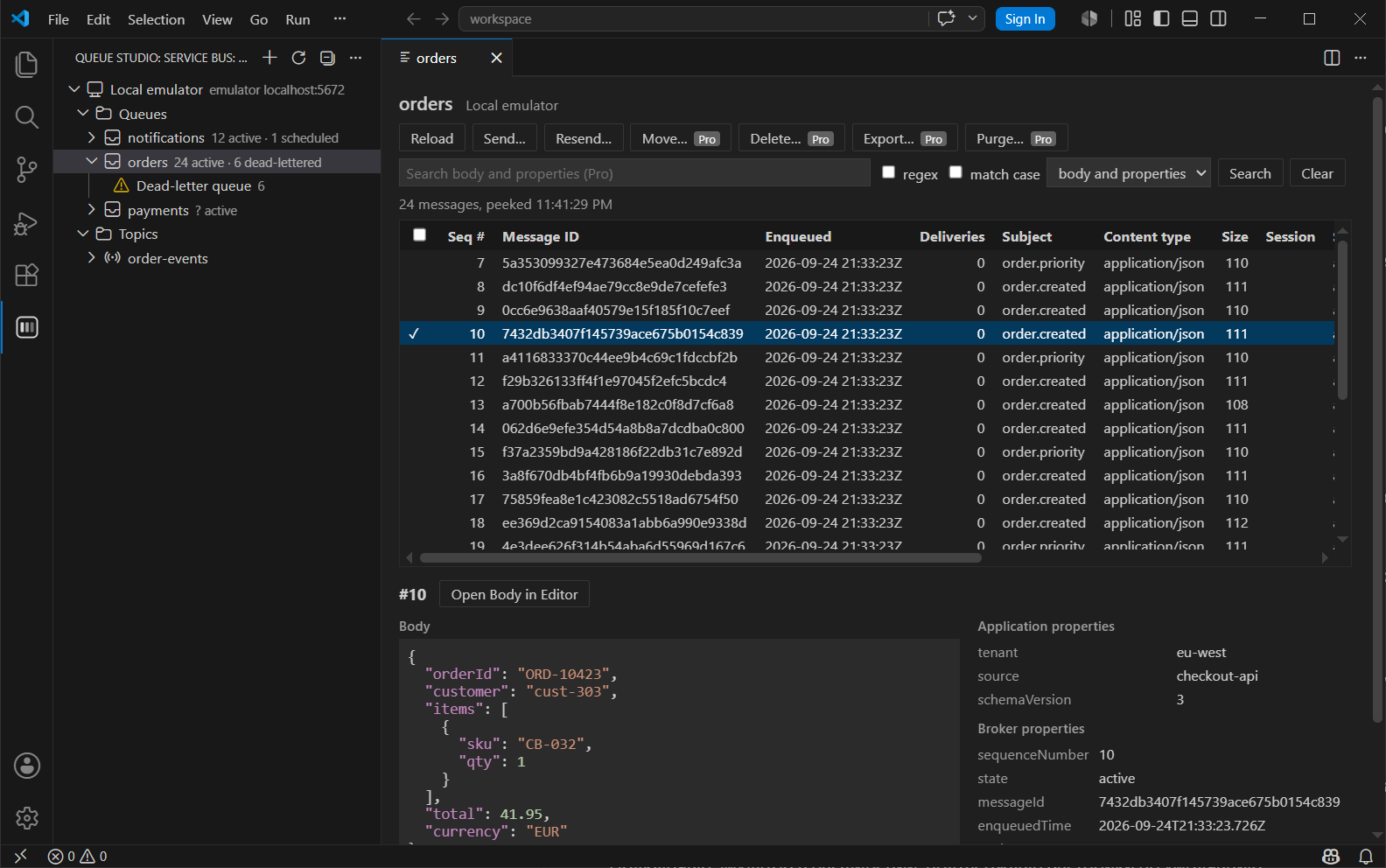
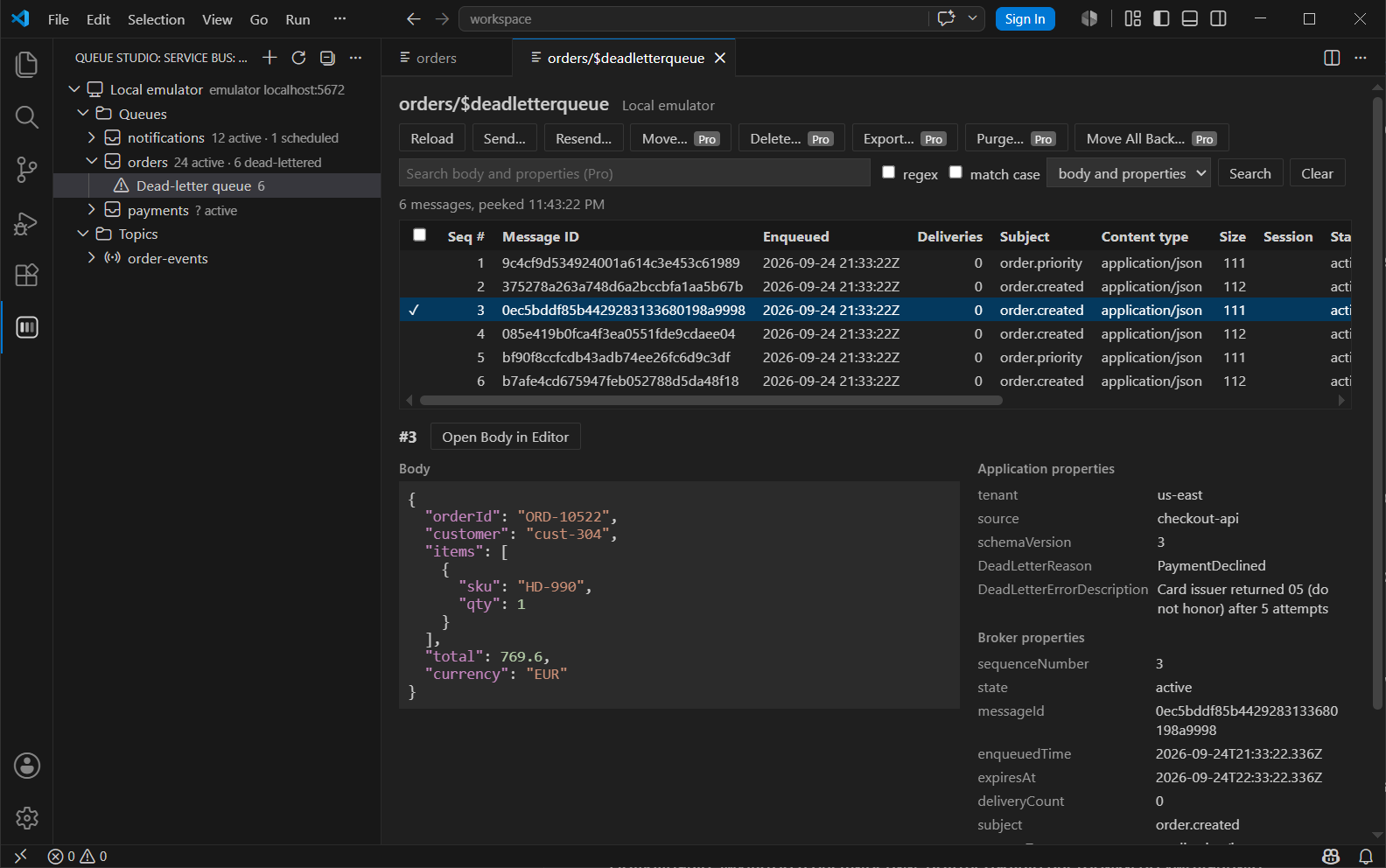
Connect with a connection string, Microsoft Entra ID or to the local emulator. Queues, topics and subscriptions show active, dead-letter and scheduled counts, and every queue and subscription has its dead-letter queue right below it.
Peek without locks
Walk a whole queue, subscription, dead-letter queue or session by sequence number. Nothing is locked, so delivery counts and consumers are untouched. JSON bodies are formatted, and every property is shown.
Send and resend
Send with content type, subject, ids, application properties, session, time to live and scheduled enqueue time. Resend fills the form from any message you peeked.
Dead-letter queue back in one step
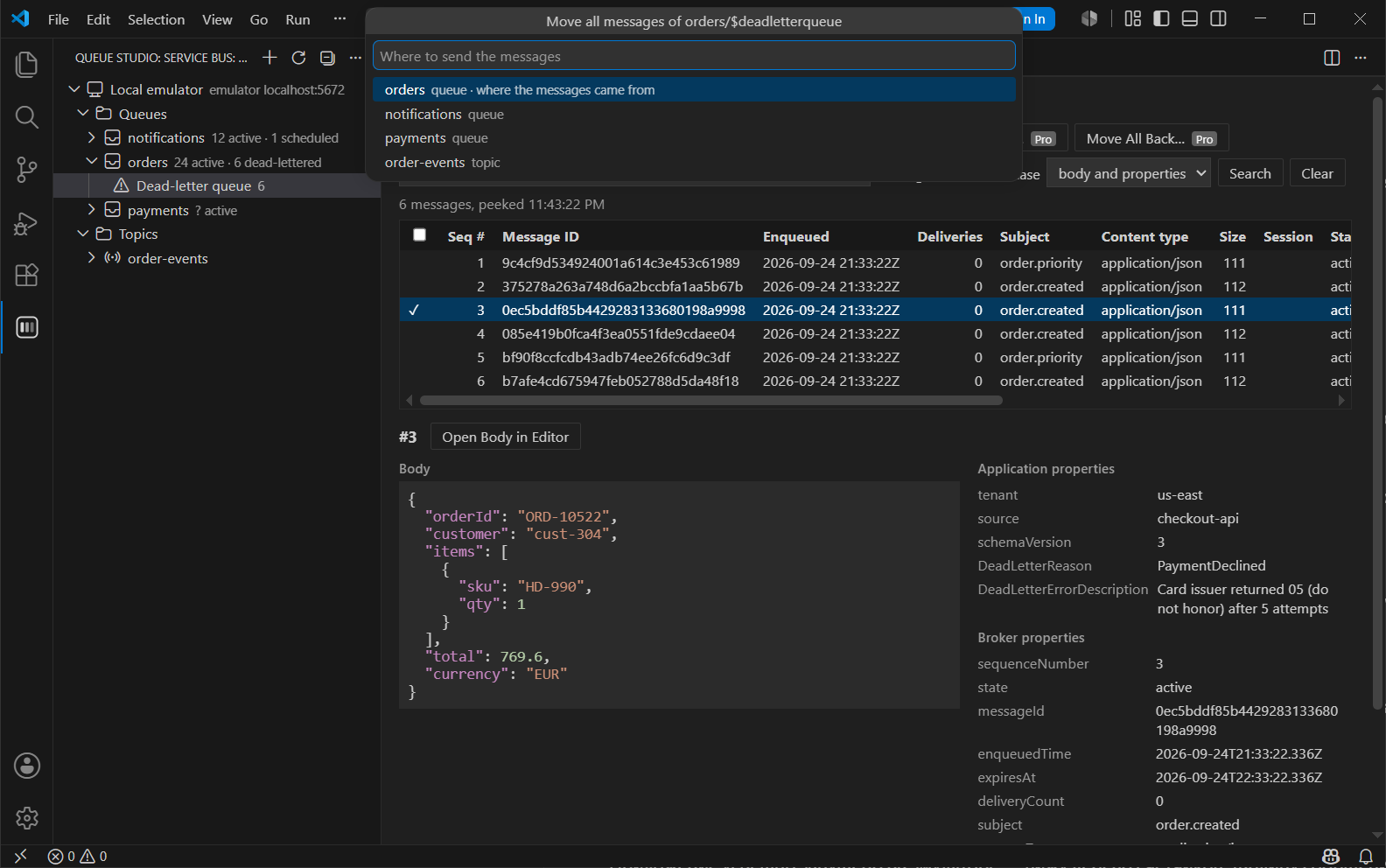
Move a whole dead-letter queue to its queue or any queue or topic. Each batch is sent first and removed only after the send succeeded, so a failure leaves messages where they were. Pro
Search, purge, export
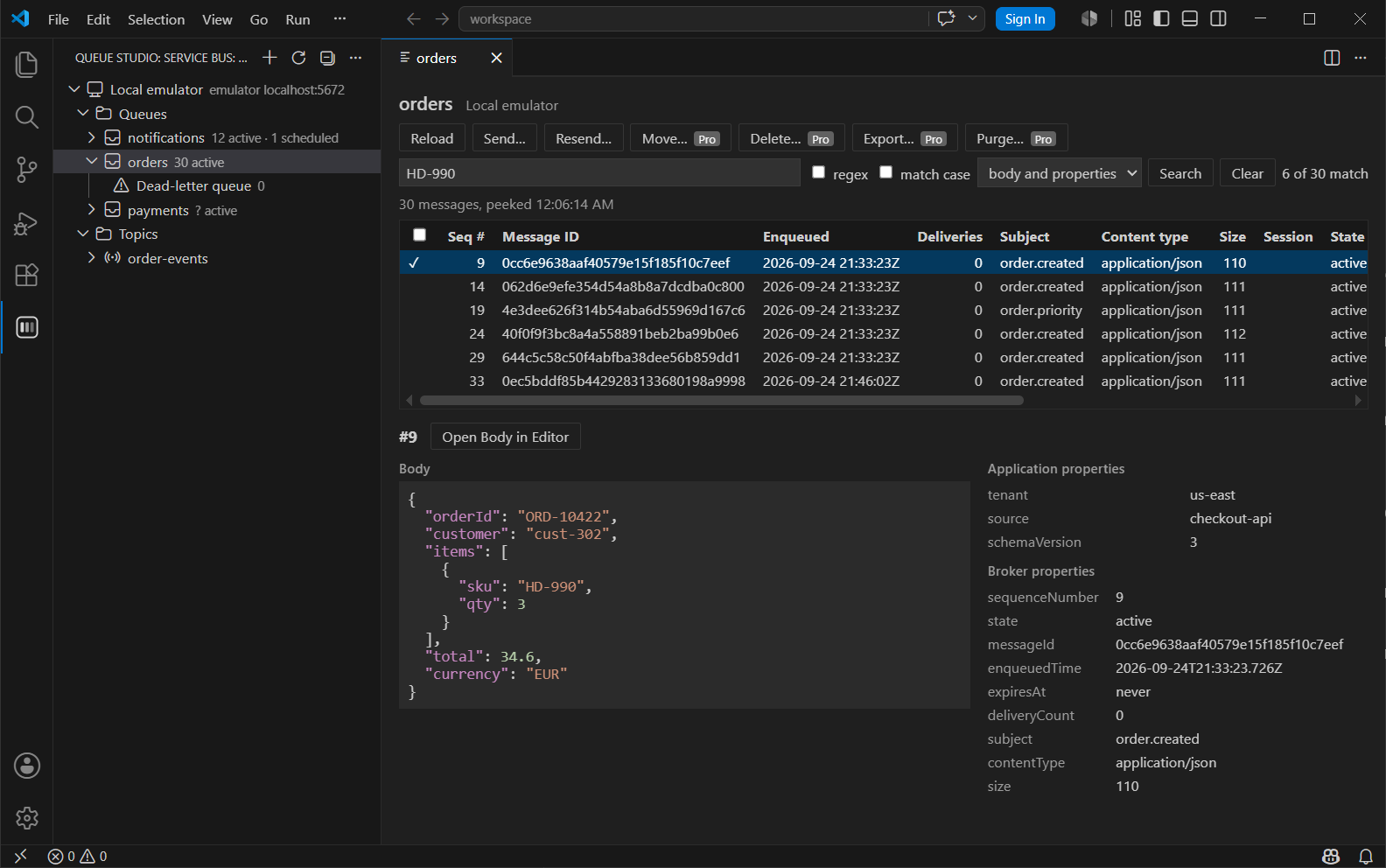
Search bodies and properties by text or regular expression, move or delete selected messages, purge, and export to JSON or NDJSON or send messages from such a file. Pro
Free and Pro
| Feature | Free | Pro |
|---|---|---|
| Connections: connection string, Microsoft Entra ID, local emulator | ✓ | ✓ |
| Tree with counts and dead-letter queues | ✓ | ✓ |
| Peek without locks, one session at a time for session-enabled entities | ✓ | ✓ |
| Send and resend | ✓ | ✓ |
| Create, edit and delete queues, topics and subscriptions | ✓ | ✓ |
| Search in bodies and application properties | — | ✓ |
| Move a whole dead-letter queue | — | ✓ |
| Move or delete selected messages | — | ✓ |
| Purge a queue, subscription, dead-letter queue or session | — | ✓ |
| Export to JSON or NDJSON, send messages from a file | — | ✓ |
Pricing
Personal
- Bought and paid for by an individual
- One person, all Pro features
Organization
- Bought, paid or reimbursed by a company
- One license per person using Pro
Prices in US dollars, per person. Polar, the merchant of record, handles checkout, tax, invoices, renewals and cancellations. Subscriptions renew until cancelled; cancel any time in the customer portal. The 14-day trial needs no payment details and never turns into a charge; there are no refunds beyond those the law requires, see refunds.
Getting started
- Install the extension from the VS Code Marketplace or Open VSX, or run
code --install-extension factodus.queue-studio-service-bus. - Open Queue Studio: Service Bus in the activity bar, press + and choose a connection string, Microsoft Entra ID or the local emulator.
- Click a queue, subscription or dead-letter queue to peek it.
- After buying Pro, run Queue Studio: Enter License Key… and paste the key from your Polar receipt email.
The user guide covers roles for Entra ID, sessions, settings and the known limitations of the emulator.